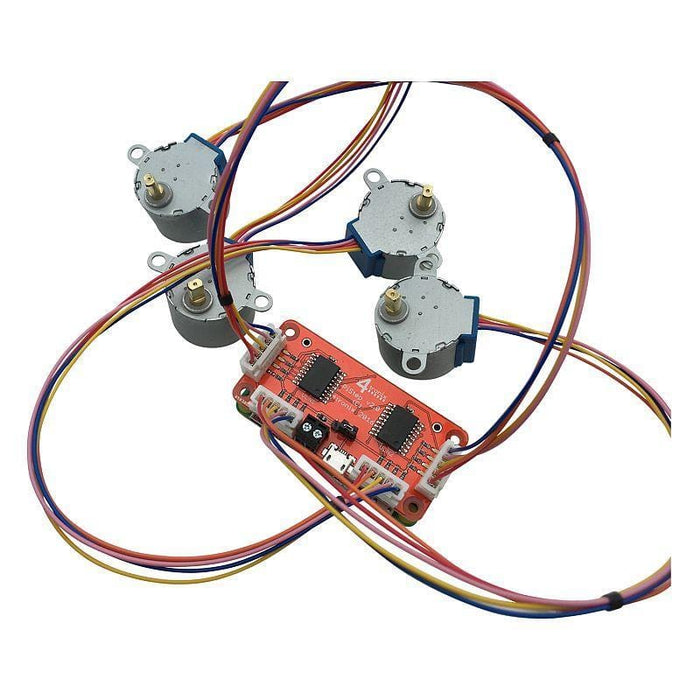
PiStep2 - Quad Stepper Motor Controller for Raspberry Pi
PiStep2 - Quad Stepper Motor Controller for Raspberry Pi


Couldn't load pickup availability
-
Ordered
- - -
Order Ready
- - -
Delivered

PiStep2 - Quad Stepper Motor Controller for Raspberry Pi
The PiStep2 can drive four stepper motors with a Raspberry Pi and comes fully Assembled - no soldering required!
The HAT works with UniPolar (5-pin) stepper motors and each pin has an associated white LED so you can see the stepper signals going through. Great for debugging!
Compatibility
- Raspberry Pi Zero Form Factor - works with all versions of Raspberry Pi with 40-pin GPIO connector**
- Works with UniPolar (5-pin) stepper motors. Not with Bipolar (4-pin) motors.
** the Raspberry Pi 4/3B+ have a POE connector that collides with one of the motor connectors on this board. We recommend using a GPIO riser with these boards.
Power Options
- Powered from the Raspberry Pi 5V
- From the 2-pin Terminal (whatever voltage is required for the motors)
- Micro-USB - 5V only
Pinout is simple:
- Physical pins 11, 12, 13, 15 for Motor A (GPIO 17, 18, 27, 22)
- Physical pins 7, 22, 18. 16 for Motor B (GPIO 4, 25, 24, 23)
- Physical pins 33, 32, 31, 29 for Motor C (GPIO 13,12,6,5)
- Physical Pins 38, 37, 36, 35 for Motor D (GPIO 20,26,16,19)
Each pin has an associated white LED so you can see the stepper signals going through
Power Supply Alternatives
-
Jumper VCC-VSTP (default). Power from the motors is taken from the Raspberry Pi 5V line
- Micro-USB into Raspberry Pi. 5V for the Pi and the stepper motors goes through a poly-fuse which can trip if 2 motors are used simultaneously
- Micro-USB into the PiStep board. 5V for both the Pi and the stepper motors is provided directly from the 5V USB input so no problems with 2 motors at once
- Jumper VSTP-VIN. Power for the motors is provided from the 2-pin screw terminal, so can be any voltage that the steppers can handle. Ensure you use the correct polarity! We recommend to keep it below 12V. You will find that the stepper motors can go up to 9V and will be able to step faster, the higher the voltage that is applied, but there will be some deterioration of the life of the stepper motor at a higher voltage.
Python Programming
Please see the excellent example here for some pointers. You will need to change the pin numbers as above and also change the speed so it steps at a visible rate. You may also want to remove the print statements to speed it up. The lines underlined below are changed from the original to operate Motor A.
# Use BCM GPIO references
# instead of physical pin numbers
GPIO.setmode(GPIO.BCM)
# Define GPIO signals to use
# Pins 18,22,24,26
# GPIO24,GPIO25,GPIO8,GPIO7
StepPins = [17,18,27,22]
# Set all pins as output
for pin in StepPins:
print "Setup pins"
GPIO.setup(pin,GPIO.OUT)
GPIO.output(pin, False)
# Define some settings
StepCounter = 0
WaitTime = 0.01
Note: Stepper motors (optional extra) and Raspberry Pi not included
🔒 Order with Confidence
🔒 Order with Confidence
✅30-Day Money Back Guarantee — no risk trying it.
🚚Free shipping available. Orders processed within 24–48 hours.
🔐Secure & encrypted checkout with trusted payment providers.